



If you’ve purchased something on Amazon that you’d rather not keep visible in your main order history, you can’t permanently delete the order. However, you can hide it from the default view by using Amazon’s archive feature.
Can I Delete an Amazon Order?
No, Amazon does not let you permanently remove an order from your purchase history. The closest option is to archive the order, which hides it from your main orders page.
Archived orders are still connected to your account and can be viewed from the Archived Orders section. This means archiving does not completely hide a purchase from anyone who has access to your Amazon account and knows where to look.
Closing your Amazon account also does not necessarily erase all transaction records, since Amazon may retain certain information for legal, tax, or business purposes.
If privacy is important, avoid using a shared Amazon account for purchases you do not want other account users to see.
Tip: If you want to keep your order history separate from family members while still sharing eligible Prime benefits, consider setting up Amazon Household.
How to Hide Amazon Orders
To hide an Amazon order using the archive feature, you’ll need to use the Amazon website in a desktop or mobile browser, since this option is not available in the Amazon app.
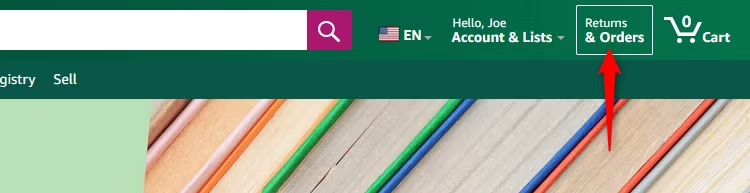
Start by signing in to the Amazon account that contains the order you want to hide. Then, click or tap Returns & Orders near the top-right corner of the page.
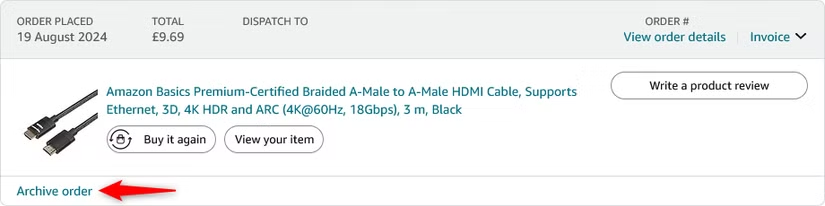
You’ll see a list of orders placed with that Amazon account. Find the order you want to hide, then select Archive Order from the order details section.
When asked to confirm, click “Archive Order.”
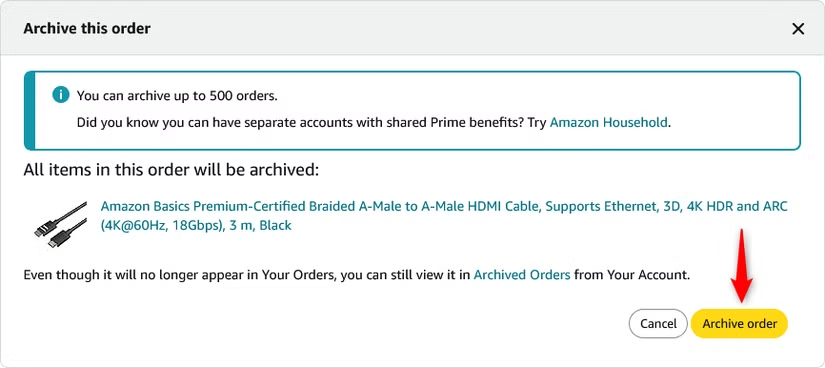
Once archived, the order will no longer appear in your main order history and will instead be moved to the Archived tOrders section of your account.
Amazon allows you to archive up to 500 orders in total.
How to See and Unhide Archived Amazon Orders
To view orders you’ve archived, start by clicking Account & Lists in the top-right corner of the Amazon website.
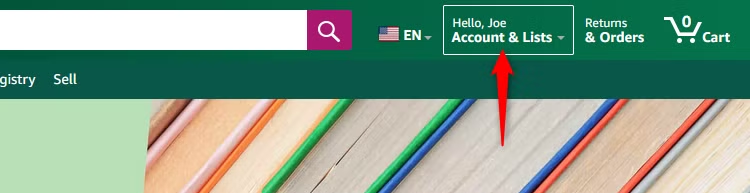
In the Your Account section, select Archived Orders. If you don’t see the option right away, scroll down and look under Ordering and Shopping Preferences.
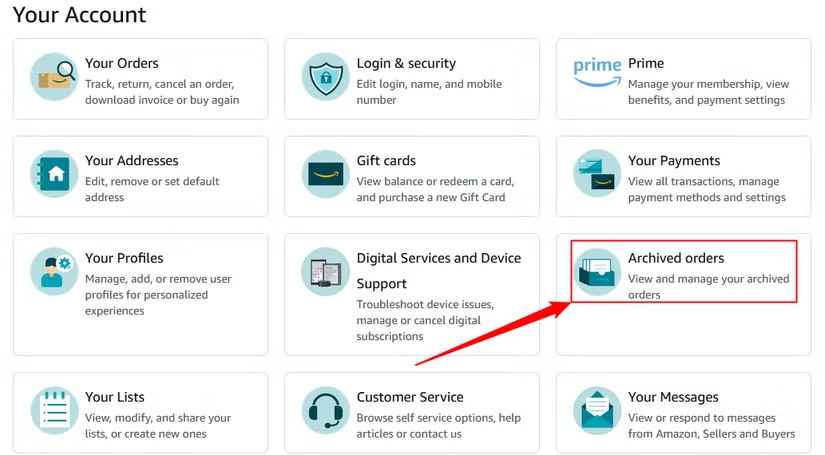
In the Archived Orders section, find the order you want to restore to your main order history. Then click Unarchive Order below the order details.
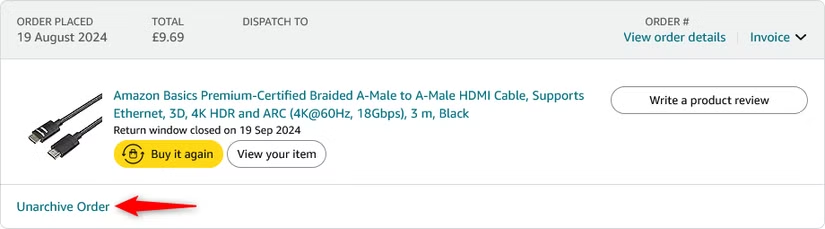
Once you unarchive the order, it will return to its original position in your main order history based on the date it was placed.
Amazon keeps a record of the purchases made through your account, including very old orders. If you want to keep your shopping history private, avoid sharing access to your Amazon account with other people.
Frequently Asked Questions
Can you permanently delete an Amazon order from your history?
No. Amazon does not currently provide an option to permanently delete an order from your purchase history. You can only archive it to remove it from the main orders page.
What happens when you archive an Amazon order?
Archiving moves the order from your main order history to the Archived Orders section. The order is still connected to your account and can be viewed later.
Can someone still see an archived Amazon order?
Yes. Anyone who has access to your Amazon account and knows where to find the Archived Orders section may still be able to view it.
How do you archive an Amazon order?
Sign in to Amazon in a web browser, go to Returns & Orders, find the purchase you want to hide, and select Archive Order.
Can you archive Amazon orders from the mobile app?
The archive option may not be available in the Amazon mobile app, so using the Amazon website in a browser is usually the better option.
How do you unarchive an Amazon order?
Go to Account & Lists > Archived Orders, find the order, and select Unarchive Order. It will return to its original place in your main order history.
Does closing your Amazon account delete your order history?
Closing your account does not necessarily mean all transaction records are erased. Amazon may retain certain purchase information for legal, tax, security, or business requirements.
Conclusion:
You can’t permanently delete an Amazon order from your purchase history, but you can archive it to remove it from the main orders page. Archived orders remain linked to your account and can still be viewed or restored later.
If you want to keep your Amazon purchases more private, avoid sharing account access and consider using separate accounts or Amazon Household where appropriate. Archiving is useful for tidying up your order history, but it is not a complete privacy solution.
